


You've opened your Bible with good intentions, pen ready, only to discover that the margins are too narrow for a meaningful note and the paper turns translucent beneath a highlighter. Then the buying questions begin. Should you choose a wide-margin edition, a journaling Bible, a separate notebook, or a digital tool that lets you write beside a verse?
A Bible that you can write in should make Scripture easier to return to, not add another layer of friction. The right format gives your observations, prayers, questions, and cross-references a dependable home while fitting your reading habits. That might mean a durable paper Bible beside your coffee, a custom notebook for longer reflections, or a searchable digital journal for busy days.
The deeper issue is consistency. Writing can make reading active, but no format can help if it feels intimidating, takes too long to resume after a missed day, or excludes readers who can't comfortably use a conventional printed edition. This guide focuses on those practical realities, from paper and pen choices to accessible formats and verse-linked digital journaling. For a gentle starting point, use these Bible journaling ideas for beginners.
Introduction to Writing in Your Bible
Many readers want to mark the passages that have challenged, comforted, or instructed them, yet hesitate because they don't know where to begin. A person returning to Scripture after a long break may worry about choosing the wrong translation, writing an uninformed comment, or buying an expensive edition that doesn't suit their habits. Someone with a demanding schedule may want a five-minute practice, not a craft project that requires a desk full of supplies.
Writing in Scripture has a long physical history. Gutenberg's Bible, produced in Mainz around 1454–1455, is widely regarded as the first major book printed in Europe with movable metal type, and printing gradually moved the Bible from a manuscript mainly controlled by institutions toward a text available to households, schools, churches, and individual readers. Guinness World Records recognizes the Bible as the best-selling book of all time, with conservative historical estimates exceeding 5 billion copies sold or distributed since the fifteenth century (historical context on Bible distribution).
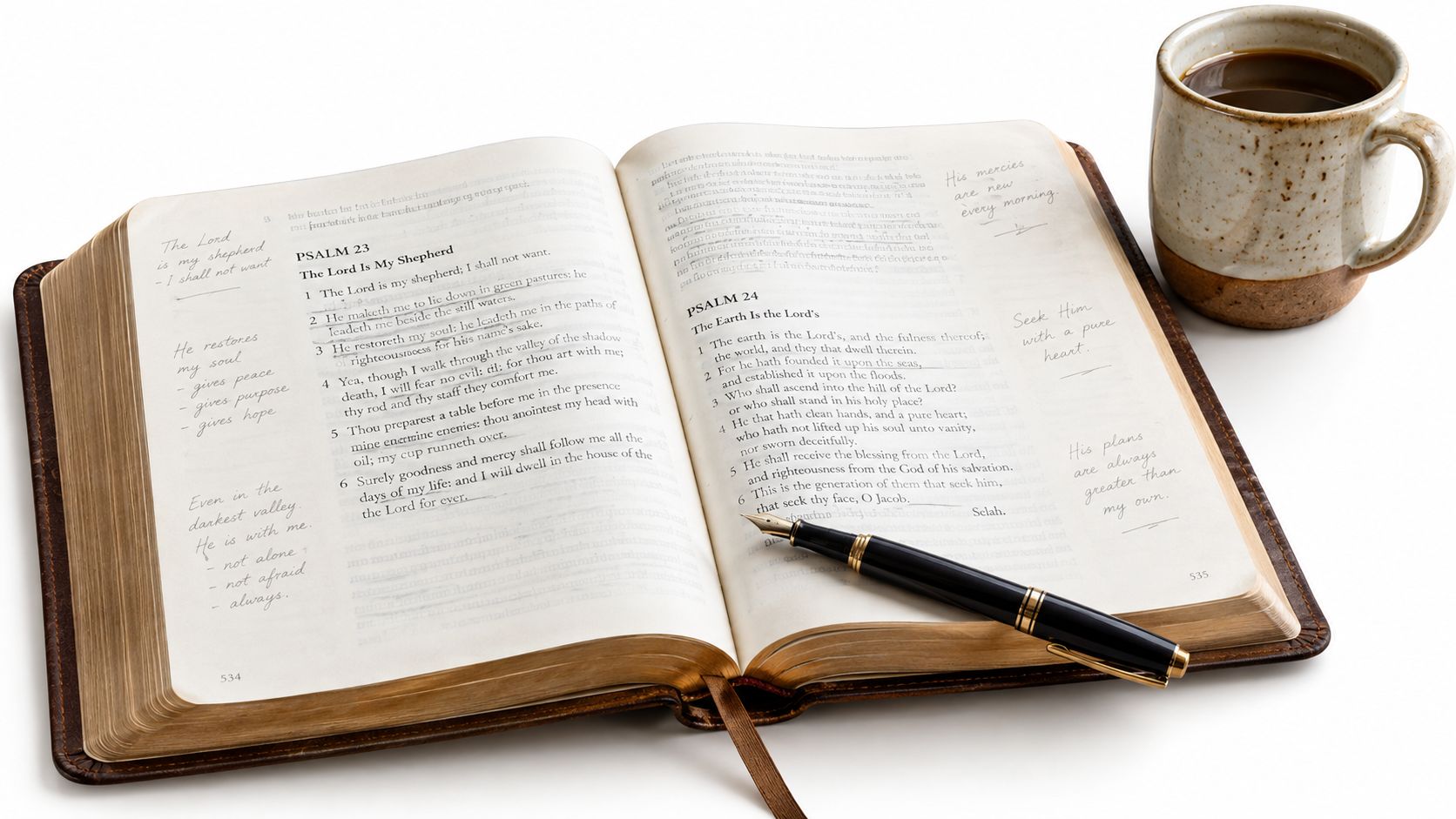
That history matters because a personal Bible has often been more than a reading object. Readers underline, date discoveries, add cross-references, record prayers, and preserve family memories. Digital journaling doesn't discard that practice. It extends the same active relationship with the text through search, backup, privacy controls, and flexible note formats.
Practical rule: Choose the format that lowers the effort required to begin the next reading session.
The sections ahead compare physical and digital approaches without treating either as universally superior. You'll learn how paper weight affects ink, how to test supplies before marking a favorite page, how accessibility changes the buying decision, and how short prompts can turn an intimidating reading plan into a repeatable habit.
Understanding the Bible That You Can Write In
You open to a passage that finally says exactly what you needed, then hesitate because there is nowhere to put the thought. A Bible that you can write in removes that friction. It gives your response a place to live beside the text, which matters if intimidation or limited time makes it hard to return later and reconstruct what you noticed.
A journaling Bible is built for annotation through wider margins, a readable layout, and construction that holds up under regular use. The goal is simple. Your notes stay attached to the verse instead of drifting into a separate notebook you may not reopen.
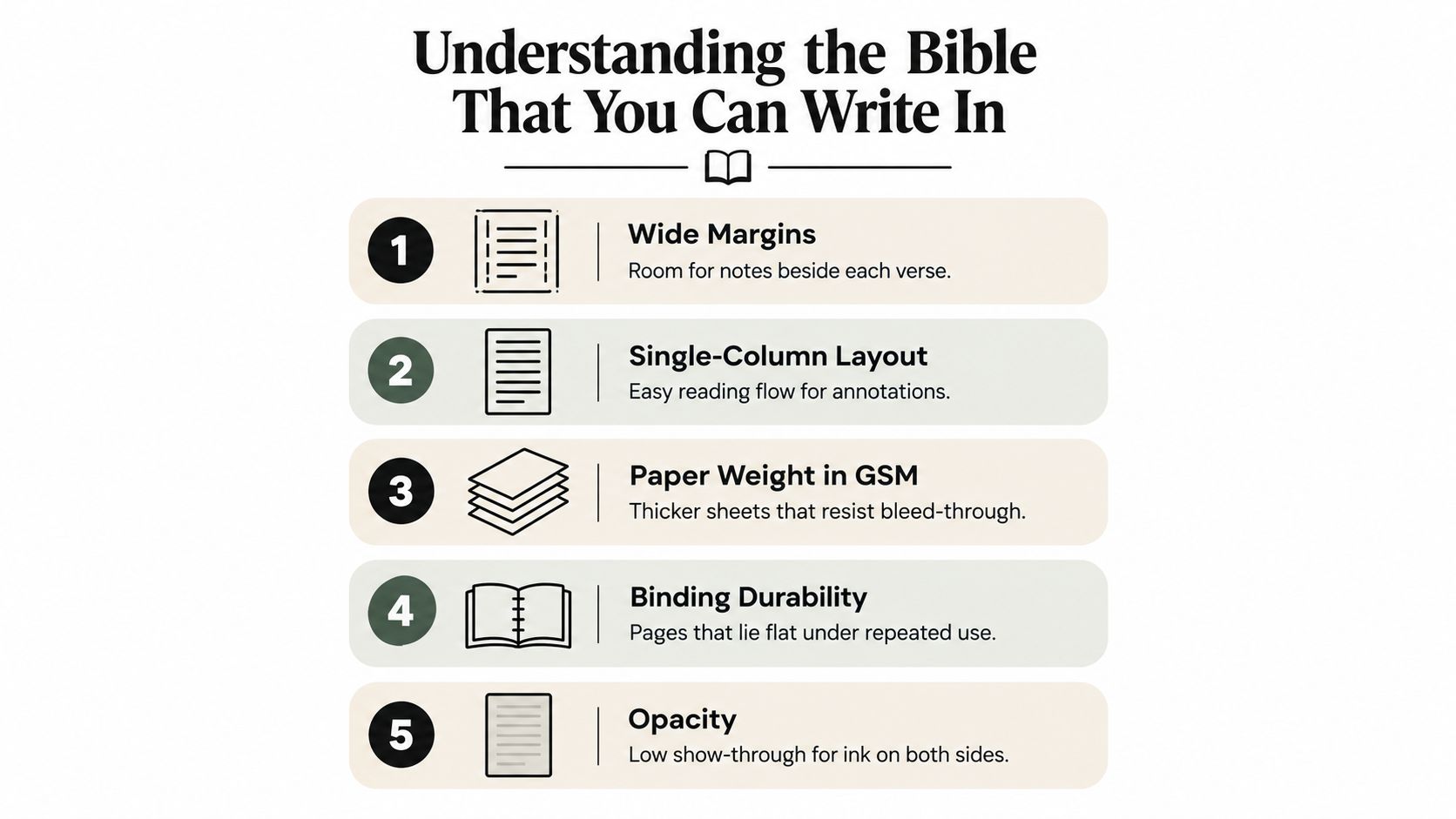
Margin design changes what kind of engagement is realistic. A narrow outer edge works for underlining or a short keyword. Wide-margin editions make room for prayers, questions, cross-references, and brief reflections without crowding the print. Interleaved editions go further by inserting blank pages between printed pages. They give serious note-takers far more space, but the added room comes with extra bulk and weight.
Layout matters just as much. A single-column format usually makes reading feel calmer and keeps handwritten notes visually tied to the right passage. Two-column layouts save space, but they can make annotations harder to track, especially if your handwriting runs larger or you study in short sessions and need to find your place quickly.
Paper and construction choices
Paper quality shapes whether writing feels inviting or risky. Thin Bible paper keeps a large text portable, but it also makes show-through, feathering, and bleed-through more likely if the surface and opacity are poorly matched to your pen. Manufacturers and printers note that Bible paper is engineered to stay thin while improving print clarity and opacity, which is why paper choice matters as much as margin width (Bible paper specifications and testing guidance).
Binding also affects use. A sewn, durable binding usually tolerates repeated opening better than a cheaper structure, and a Bible that lies flatter is easier to annotate without fighting the spine.
If possible, inspect a sample before buying. Check the reverse-side visibility, test whether the margin fits your normal handwriting, and notice how the cover feels after repeated handling. If a printed edition does not suit your eyesight, dexterity, or note-taking habits, that is not a personal failure. It is a sign to choose a format, including a digital one, that makes regular engagement easier.
Physical vs Digital Bible Journaling
Physical and digital journaling solve different problems. Paper gives you a tactile, distraction-free object that works without a battery, account, or internet connection. Digital journaling gives you portability, search, privacy controls, and room to capture material without enlarging the physical volume.
| Feature | Physical Bible | Digital Platform |
|---|---|---|
| Writing experience | Tactile, handwritten, permanent on the page | Typed or stylus-based, editable and searchable |
| Portability | One volume, but weight and size vary | Accessible on a compatible device |
| Search | Requires memory, tabs, or manual browsing | Notes can be found by verse, topic, or date when supported |
| Privacy | Visible ownership and physical storage | Locking, encryption, and account controls may be available |
| Durability | Paper can stain, tear, or show ink through | Depends on backups, account access, and service availability |
| Accessibility | Large-print and specialty editions are available | Text scaling, audio, translation comparison, and stylus tools may help |
| Best fit | Slow reading, visual memory, and a lasting physical record | Flexible schedules, cross-referencing, discreet notes, and retrieval |
A physical Bible supports continuity. You can see old handwriting beside a passage and remember where you were when you wrote it. It also creates useful constraints, because a limited margin encourages concise observations. The drawbacks are equally real. Paper may not accommodate longer reflections, liquid ink can damage pages, and a heavily marked volume can become difficult to find your way through.
A digital platform handles volume better. You can keep a short verse observation separate from a longer prayer, locate an entry later, and carry the journal across devices. The trade-off is that devices introduce distractions and technical dependencies. A notification can interrupt reading, and an unprotected account can expose reflections that were meant to remain private.
A third option for longer reflections
Some readers use a physical Bible for brief annotations and a separate notebook for expanded study. A purpose-built journal can hold sermon notes, prayer lists, and thematic research without crowding the page. If you'd like to make a custom notebook, choose a format that matches your handwriting, preferred page size, and the amount of structure you need.
The strongest choice often depends on the task. Use the Bible itself for a concise connection to a verse. Use a notebook for a longer response. Use digital notes when search, portability, accessibility, or discretion matters more than the permanence of ink on paper.
Practical Tips for Pen Choices and Ink Testing
A Bible can invite regular engagement and still become frustrating the first time a favorite verse blurs under the wrong pen. Thin paper asks for restraint. Dry or wax-based colored pencils usually behave more predictably than wet highlighters or heavily saturated gel inks, and fine-tip archival pens often give cleaner lines with less risk of feathering. If writing in the text itself feels stressful, start small. Mark key words, add a short margin note, then build a system you can repeat without hesitation.
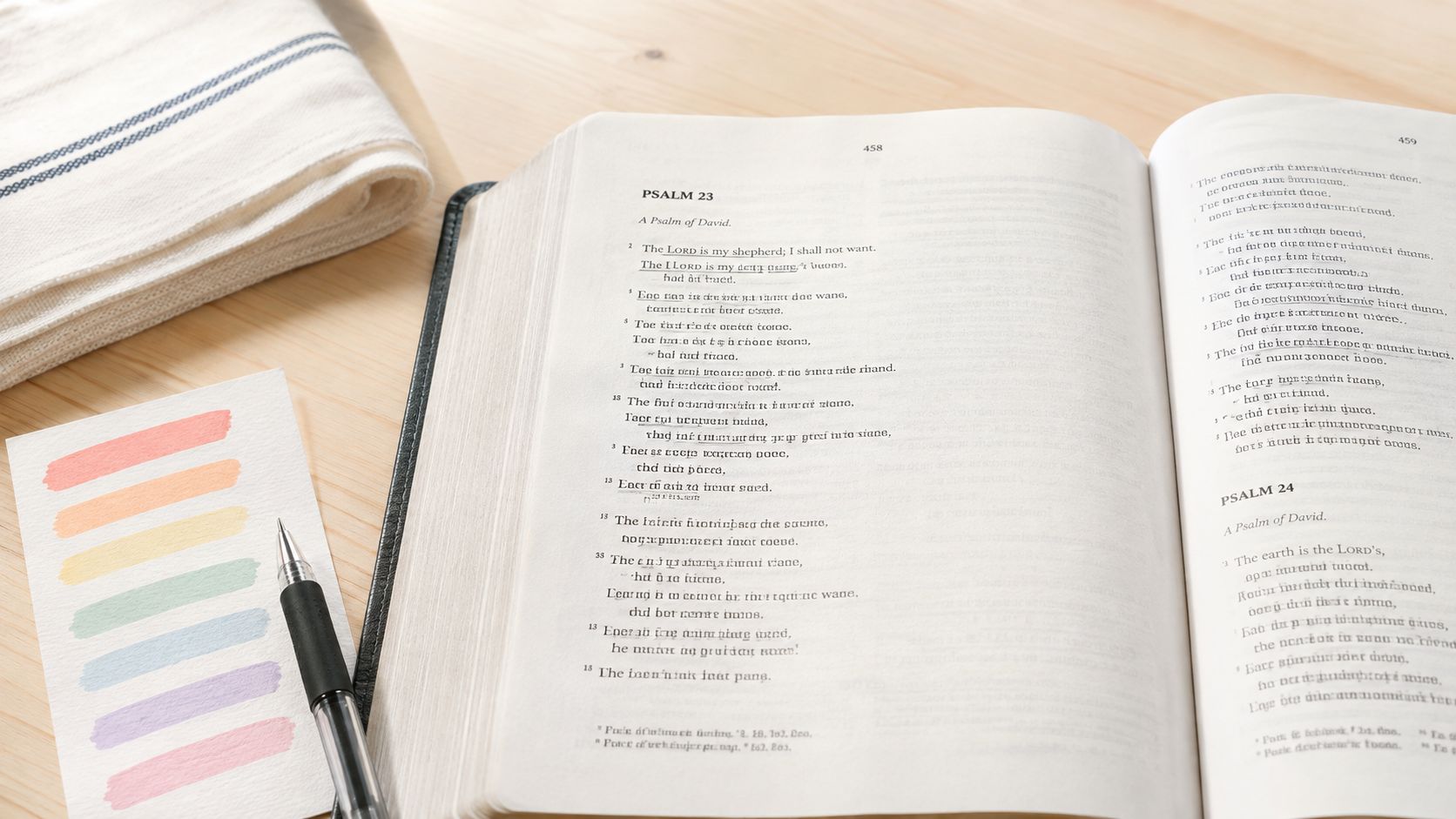
Always test away from the passage you want to keep clean. Use a rear endpaper, a blank presentation page, or paper from another thin book that feels similar. Make a short line, a small block of shading, and a few written words. Let the marks dry fully, close the Bible, then reopen it and inspect both sides. Repeat the check after turning the page a few times, because some inks look stable at first and smear only after handling.
A simple routine helps:
- Test the exact combination. Pen and highlighter performance can change when both are used on the same spot.
- Check both sides. Show-through is distracting but different from true bleed-through.
- Watch dry time. Slower-drying ink needs more patience before closing the book.
- Inspect the paper surface. Excess moisture can wrinkle, roughen, or slightly buckle a page.
- Limit your colors. A restrained system stays readable and is easier to maintain over time.
That last point matters more than many readers expect. If your method requires a legend you never remember, it becomes one more reason to stop. A better system assigns one color to repeated themes, one to questions, and one to application. Print shops deal with similar questions of ink behavior on different surfaces. Even a general explainer on vibrant ink options for custom tees shows why formulation and surface interaction matter, though Bible paper needs its own trial run.
Writing by hand also is not the only useful path. Some readers stay more engaged by typing, dictating, or pairing a brief margin mark with digital notes for longer reflections, especially when time, privacy, or accessibility is a concern. Research on note-taking is mixed. A review and controlled-study discussion describes both handwriting benefits in some studies and findings of no significant difference in recall across handwritten, laptop, and tablet notes. The practical takeaway is simple. Use the method that keeps you returning to the text, and make each note purposeful.
If you want a verse-by-verse method that stays manageable, this guide to taking notes in your Bible offers a clear starting structure.
How to Choose the Right Bible for Writing
Begin with the reader, not the product category. Someone who writes one sentence after a morning reading needs a different Bible from someone who maps cross-references, records sermon notes, and compares translations. A wide margin can be ideal for the first reader, while an interleaved edition or loose-leaf system may suit the second.
Use these decision questions before purchasing:
- What do you write? Short observations need a margin. Longer prayers need facing blank pages, a notebook, or digital space.
- How often will you carry it? A compact edition may travel better, while a larger journaling Bible can provide a more comfortable writing surface.
- How sensitive are you to show-through? If visible reverse-side text distracts you, prioritize opacity and test your preferred pens before committing.
- Do you need the book to lie flat? Repeated annotation is easier when the spine doesn't fight your hand.
- Which translation supports understanding? A familiar translation may reduce friction, while access to multiple translations can help with comparison and study.
- What happens after a missed day? Choose a format that lets you resume without feeling that the unfinished pages accuse you.
Accessibility deserves equal weight. Large-print editions can reduce visual strain. Dyslexia-friendly typography may improve comfort for some readers, although personal testing matters more than a label. Audio-supported study and accessible e-readers can help people who can't comfortably read a conventional printed page, while stylus annotation can preserve a handwriting-like interaction.
Language and infrastructure also affect the decision. Recent reporting on the Bible Access Initiative estimates that about 100 million Christians in 88 countries face serious difficulty accessing a Bible in a usable form, with barriers including legal restrictions, poverty, limited electricity or internet, illiteracy, and missing heart-language translations (reporting on global Bible access). A physical journaling Bible isn't a universal answer when the needed language, format, safety, or reading support isn't available.
For some households, the best setup combines formats. Keep a readable print edition for shared study, use audio or enlarged digital text when needed, and store sensitive reflections separately rather than marking a volume that others can easily inspect. The right Bible is the one that remains usable when your eyesight, schedule, location, language, or study purpose changes.
HolyJot, A Secure Digital Alternative
You read a short passage on your phone while waiting in the car, notice one line that hits a real concern, and want to keep that thought attached to the text before the moment passes. That is where a digital Bible journal earns its place. It lowers the friction between reading and responding, which matters for people who feel intimidated by a marked-up print Bible, do not have time to set up a desk session, or cannot comfortably use a conventional journaling edition.
HolyJot keeps Scripture and reflection in the same workspace. You can make freestyle entries, attach notes to specific verses, read within a full online Bible that includes multiple translations, follow guided study plans, and keep private spaces for groups, families, or friends. It also offers locked notes and time capsules, which are useful when you want to separate immediate reactions from reflections that should stay hidden or be revisited later.
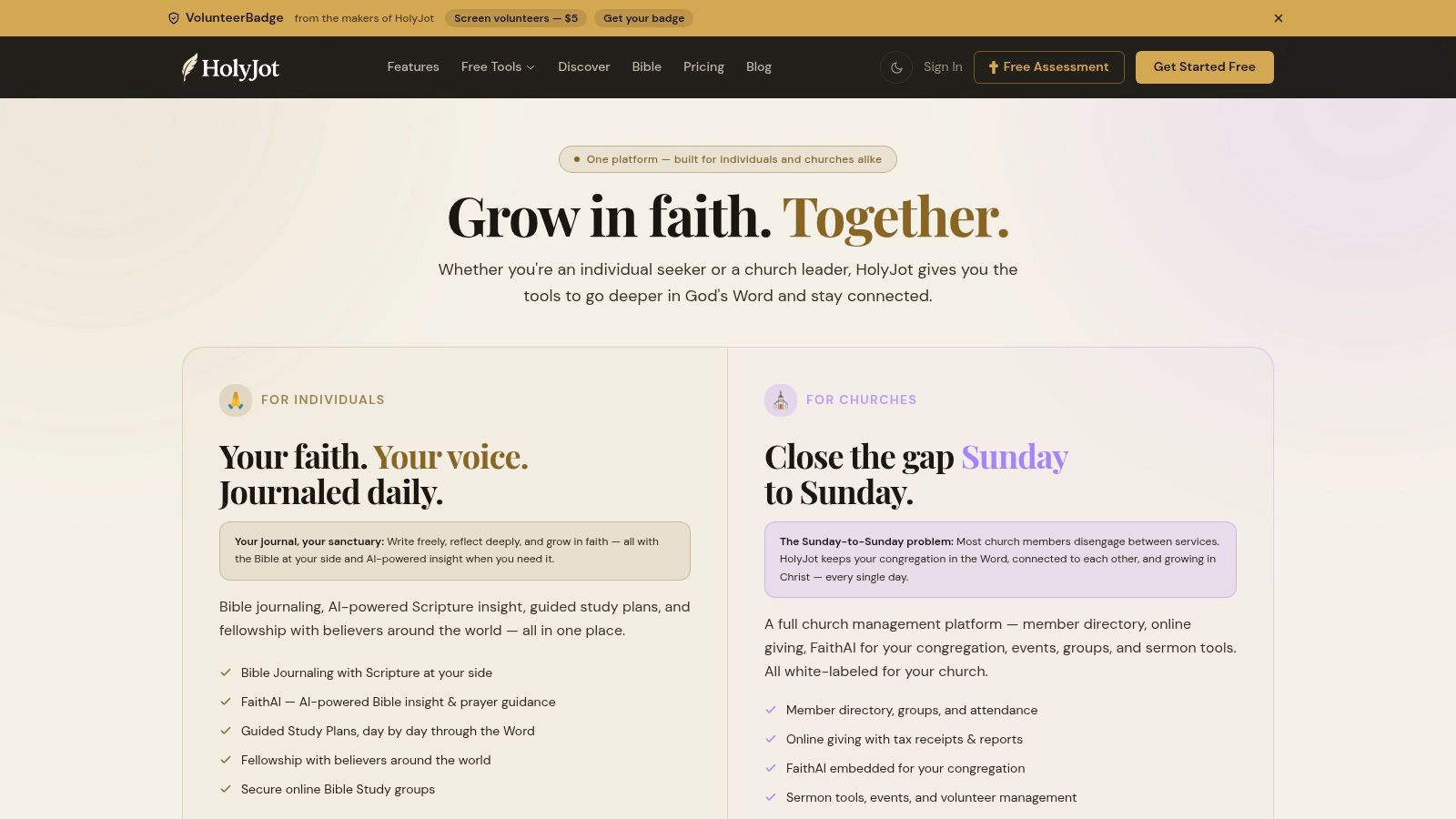
The practical advantage is retrieval. Open the passage, add one observation, question, prayer, or application to the relevant verse, then come back later by searching the verse, topic, or date. A paper Bible can show history beautifully, but digital notes are easier to find when you are preparing for a conversation, following a theme, or checking whether a concern has changed over time.
A low-friction digital workflow
- Choose a narrow passage. Pick a clear stopping point.
- Write one useful sentence. Paraphrase the passage or name what you do not understand.
- Add a response. Record a prayer, question, or next step.
- Save with context. Verse-linked notes preserve the connection a separate document often loses.
- Protect sensitive entries. Use locking and privacy controls that fit the entry.
- Return through search. Revisit earlier notes when the same theme appears again.
FaithAI can add Scripture-grounded context, cross-references, and prayer support inside that workflow. Use it as a study aid. It should not replace reading the passage in context or exercising judgment. If privacy matters, review security tips for a safer digital life and understand how end-to-end encryption works before storing personal reflections.
Digital journaling is not automatically private, and it is not automatically more accessible either. It helps when searchable notes, adjustable text, and a phone-first workflow remove barriers that print can create. For some entries, though, a securely stored paper notebook is still the wiser choice.
Overcoming Barriers to Consistent Engagement
You sit down meaning to read, open to a long book with thin pages and dense notes, then close it again because ten minutes does not feel like enough. That pattern is common. In the 2025 State of the Bible research, 51% of U.S. adults said they wished they read the Bible more. Reported barriers included lack of prioritization at 24%, lack of time at 15%, intimidation by the Bible's size at 11%, and uncertainty about relevance at 8% (2025 State of the Bible findings).
The practical response is to lower friction. Intimidation usually drops when the next step is small and visible. Time pressure matters less when the session has a clear finish. Questions about relevance ease when a note connects the passage to a real concern, such as a strained conversation, a decision, grief, or a repeated habit.
A workable pattern is simple:
- Read: Choose a short passage with a natural stopping point.
- Notice: Write one observation, repeated word, tension, promise, or command.
- Respond: Add one prayer, question, or action.
- Resume: Leave a cue for the next session.
That is enough for many days.
On paper, this may be one marked phrase and one sentence in the margin or in a notebook. Digitally, it may be one verse-linked note you can find again after a long gap. The format matters less than the restart cost. A system you can resume after interruption will usually outlast an ambitious method that asks for too much time or concentration every session.
Accessibility also belongs here, not as an extra feature but as part of sustained engagement. Some readers cannot use conventional printed editions comfortably because of low vision, dyslexia, hand pain, fatigue, or privacy concerns in their environment. Adjustable text, audio support, dictation, stylus input, or discreet digital notes can make regular reflection possible. For others, paper still works better because it limits distraction and feels safer for personal material.
Community helps some readers stay steady. It can be a private reading plan, a trusted friend, or a small group where honest questions are welcome. Others need a quieter path. If public discussion creates pressure or risk, a personal journaling habit is a wiser fit.
The goal is not longer notes. The goal is returning tomorrow.
Conclusion and Next Steps
A useful Bible that you can write in is defined by fit, not decoration. Wide margins, a single-column layout, durable binding, suitable paper, and controlled show-through make physical annotation more comfortable. But the most attractive edition won't solve a schedule that leaves no room to begin or a format that excludes your visual, physical, language, or privacy needs.
Physical and digital journaling each preserve something valuable. Paper offers a tactile record that grows with you and works without a device. Digital tools add search, portability, flexible text display, translation comparison, protected notes, and a simpler way to resume after an interruption. A notebook can sit between them, giving longer reflections room without overcrowding the Bible page.
Keep the first practice small. Read a passage, write one observation, and add one response. Test every pen on a safe page before using it throughout the book, and choose prompts that encourage paraphrasing and retrieval rather than mechanical copying. Handwriting may deepen engagement for some tasks, but learning outcomes vary, so prioritize the quality of your attention instead of assuming that one medium works for everyone.
If conventional print isn't comfortable or available, consider large-print, dyslexia-friendly, audio-supported, stylus-enabled, multilingual, or discreet digital options. A thoughtful system may use more than one format. The goal is a usable path back to Scripture, even on a busy or imperfect day.
HolyJot offers verse-linked and freestyle Bible journaling, searchable entries, multiple Bible translations, guided study support, locked notes, time capsules, and private Community Hubs. Visit HolyJot to create a digital writing practice that complements your physical Bible or gives you an accessible place to begin.