


About 60% of U.S. churches use church management software, yet adoption falls sharply among small congregations. 30% of churches under 50 members report no use at all, while churches with 200+ members reach 72% adoption (industry summary). For a church choosing software for church, size and staffing capacity matter more than a generic feature checklist.
| Church size or market lens | What the data suggests | Buying reality |
|---|---|---|
| Small churches under 50 members | 30% report no use at all | Simplicity, volunteer-friendliness, and fast setup matter most |
| Churches with 200+ members | 72% use church management software | Deeper workflows, roles, and communication tools become harder to avoid |
| U.S. church market | About 60% adoption overall | Software has moved from niche admin tool to mainstream infrastructure |
| Global market outlook | $1.3 billion in 2023, with 10.2% projected CAGR from 2024 to 2032 | The category is still growing, but fit matters more than novelty |
A church can buy software to make office work easier and still miss the ministry need. The actual pain often appears during the week: members drift, volunteers forget assignments, and pastoral care remains scattered across messages, spreadsheets, and personal memory. The platform should connect those responsibilities to consistent ministry habits, not merely store more records.

I've worked with churches that delivered an orderly Sunday service but faced a disorganized Wednesday. One team could print a directory yet struggled to connect small groups, giving, volunteer care, and follow-up. That gap changes how leaders should judge software for church. The better question is whether the system helps staff and volunteers maintain meaningful contact, notice needs, and support discipleship throughout the week.
Church communication strategy matters because software works only when communication habits support it. Before comparing dashboards, ask what information, relationships, and care practices disappear between gatherings. Then choose tools that help the church act on those answers.
Why Church Software Decisions Often Miss the Point
A Sunday service can run on time while the ministry week quietly fragments. Giving is counted, announcements are delivered, and volunteers show up, yet follow-ups sit in text threads, pastoral concerns remain in personal notebooks, and nobody knows who owns the next conversation. That buying decision may have produced an administration tool without creating a dependable ministry rhythm.
The old problem software replaced
Church management software addressed genuine office problems. Paper directories, shoebox attendance sheets, handwritten contribution records, and duplicate mailing lists consumed staff time and created avoidable errors. Today's platforms bring member records, giving, attendance, events, volunteer coordination, and communication into one system, so buyers reasonably ask whether the information connects cleanly across those responsibilities (feature overview).
Practical rule: if a platform improves one office task but leaves ministry coordination unchanged, it is probably solving too narrow a problem.
Adoption also reflects staffing reality. Larger churches often need tighter coordination across teams, while smaller churches may rely on trust, memory, and a few highly capable volunteers. That approach can work while ministry remains simple. Once a church is coordinating children's check-in, groups, events, volunteer schedules, and donor follow-up, improvised processes create more missed handoffs and duplicated work.
What a church should judge first
A useful comparison starts with ordinary ministry work, not a feature checklist. Can a volunteer use the platform from a phone? Can leaders assign access without exposing information they do not need? Can staff understand a person's household, roles, and relationships without piecing together disconnected spreadsheet rows? The answers reveal whether software for church supports care or merely stores records.
Financial trust belongs in the same evaluation. Clear giving records and sensible permissions protect donors, while consistent information helps staff follow up with people responsibly. Church communication strategy matters too, because a platform only helps when leaders agree on who records contact, who responds, and when a follow-up is complete.
In practice, I have seen churches succeed when a Sunday conversation led to a clearly owned Tuesday action. I have also seen teams purchase an impressive feature set that nobody had time to maintain. Choose the system that fits the church's available people, habits, and ministry priorities.
The next section explores what happens when software tries to close that Sunday-to-Sunday gap.
Core Church Management Features That Actually Matter
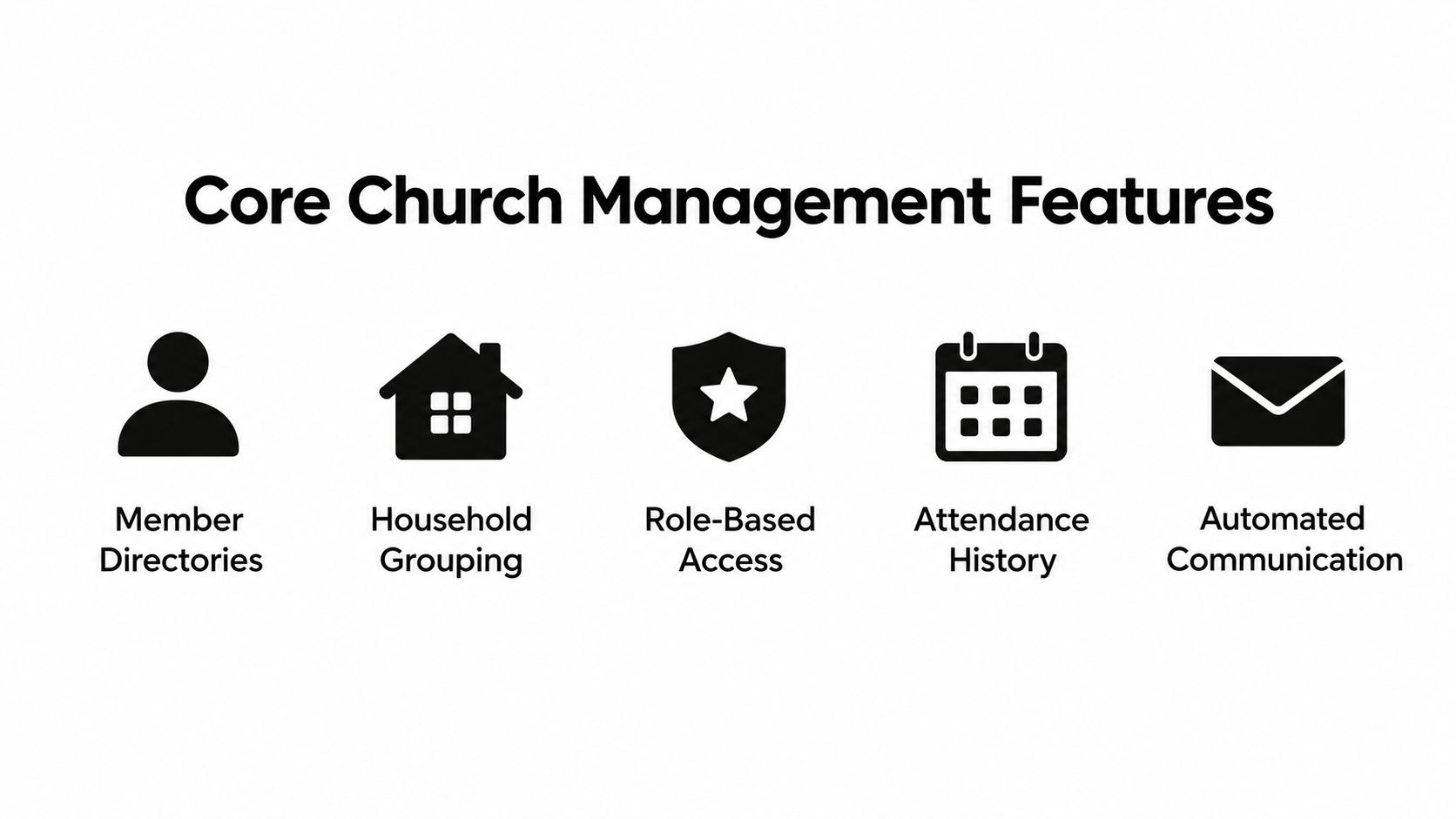
A church platform proves its value when it holds the church together as a relational database, not a pile of separate tools. Member profiles, households, roles, attendance history, and segmented messaging should work as one system, because ministry people don't live in separate buckets. A parent, volunteer, donor, and small-group member is the same person.
The features that carry daily ministry
A good directory is more than a contact list. It should let staff and leaders understand households, ministry roles, and basic history without hunting through multiple screens. Attendance tracking matters for the same reason, because it helps identify who's drifting, who's serving, and who's present in recurring ministries.
Segmented messaging is where many platforms start to pay off. If a children's leader, a deacon, and a small-group host all need different updates, the software should let you target the right people without exporting lists into outside tools. The same logic applies to giving and events. Online giving with fee transparency, event registration, volunteer coordination, email and SMS, financial reporting, API integrations, mobile access, and custom dashboards all matter, but only if they support a shared record instead of creating point-tool sprawl (comparison guide).
What depth looks like in practice
| Core Feature Depth Checklist | Depth Indicator | Why It Matters |
|---|---|---|
| Member directory | Household view, role visibility, and search by ministry involvement | Keeps the church relational, not just administrative |
| Household grouping | Family relationships and shared contact records | Helps leaders follow the actual people in the home |
| Role-based access | Different permissions for staff, volunteers, and finance teams | Protects private data and reduces accidental edits |
| Attendance history | Repeatable records tied to people and groups | Makes follow-up and pastoral care more consistent |
| Automated communication | Segmented messages by role, group, or event | Prevents duplicate messages and missed updates |
The best systems reduce translation work. Staff shouldn't have to explain the database to the database.
Online church management platform is the phrase many teams search for, but the underlying question is whether the software acts like a single living church record. If you can't see households, roles, attendance, and communication in one flow, you'll end up paying for multiple subscriptions and extra admin time anyway.
Comparing Church Software Categories and Typical Pricing
A church can approve a low monthly fee and still spend more than expected once giving, reporting, website tools, mobile access, and support are added. I have seen this create budget tension for both pastors and treasurers. Compare software by category first, then test each option against the workflows your staff and volunteers use every week.
Full suites and lighter platforms
A comparison matrix places integrated platforms at about $70 to $300+ per month, while lower-cost integrated options sit around $29 to $85. Those ranges reflect different combinations of accounting, communications, member records, and ministry tools, so they should not be treated as like-for-like quotes.
| Church Software Pricing Ranges | Monthly Range | Typical Inclusion |
|---|---|---|
| Lower-cost integrated platforms | About $29 to $85 | Core member management, communication, and basic workflows |
| Broader integrated platforms | About $70 to $300+ | More features, deeper dashboards, and broader administrative coverage |
| Budget or entry tools | $0 to about $250 depending on vendor model | Limited functionality, lower support depth, or staged pricing |
A broader platform may justify its fee if it replaces several separate tools. Built-in accounting, website functions, or mobile access can reduce subscription costs and the time spent moving information between systems. The calculation changes when the church still needs separate giving, scheduling, or reporting software. Each extra system brings another login, data export, renewal, and training burden.
The purchase decision should also account for ministry capacity. A platform that reduces duplicate administration can leave staff more time to support groups, follow up with people, and maintain consistent weekday communication. A cheaper system may be sensible, but only if its limitations do not shift important work back to staff spreadsheets.
Where churches get surprised
“Almost enough” software creates difficult trade-offs. A platform may handle a directory and events while falling short on volunteer scheduling, usable reports, or the giving workflow the treasurer needs. Churches then add a second product after the first is already in use, making migration and staff training harder.
Rule of thumb: if the platform forces the church's working processes to remain in spreadsheets, its listed price leaves out the labor cost.
Free church management software can suit a very small team with modest requirements. Before choosing it, confirm how permissions, communication workflows, reporting, support, and data export will work as responsibilities grow. A free tier stops being low-friction when leaders must rebuild routine ministry processes outside the platform.
The Underserved Need - Software for Weekday Discipleship
A group leader notices that two members have missed several gatherings, a parent needs a devotional resource for home, and a pastor remembers a prayer request from Sunday. By Wednesday, those details may be scattered across inboxes, notes, and chat threads. Church software should bring them into a ministry workflow that supports people throughout the week, not only record what happened at the weekend service.
Why engagement outside Sunday matters
Global church leadership research says 95% of leaders affirm that digital spaces are places for ministry, evangelism, and discipleship (leadership research). Churches do not need every platform to become a theology classroom. They do need to ask whether it helps people remain connected between services through prayer, Scripture, groups, and pastoral follow-up.
A dashboard can track attendance, while a message thread can distribute information. Neither creates a weekday practice on its own. The platform should help leaders turn those signals into consistent contact, useful resources, and timely care.
Many current systems now include pastoral care notes, small group tracking, and analytics. These features connect internal administration with follow-through for real people. Reports still cannot show whether someone is developing regular prayer or Scripture habits without a ministry process around the data. That gap receives little attention in standard software comparisons.
What to look for instead of vanity metrics
A ministry tool should help leaders answer practical questions: Who remains active in a group? Who has not received contact? Who is ready for the next study? Which resources do people use during the week? Login counts and message opens have limited value unless they prompt a pastoral action.
- Daily devotional touchpoints: Members should have an easy reason to return during the week, with content that supports regular practice.
- Small group continuity: Leaders need shared notes, schedules, and follow-up paths rather than records trapped in personal inboxes.
- Family resources: Parents and children need materials they can use at home, where weekday formation happens.
- Pastoral visibility: Leaders should see meaningful patterns without searching across disconnected tools.
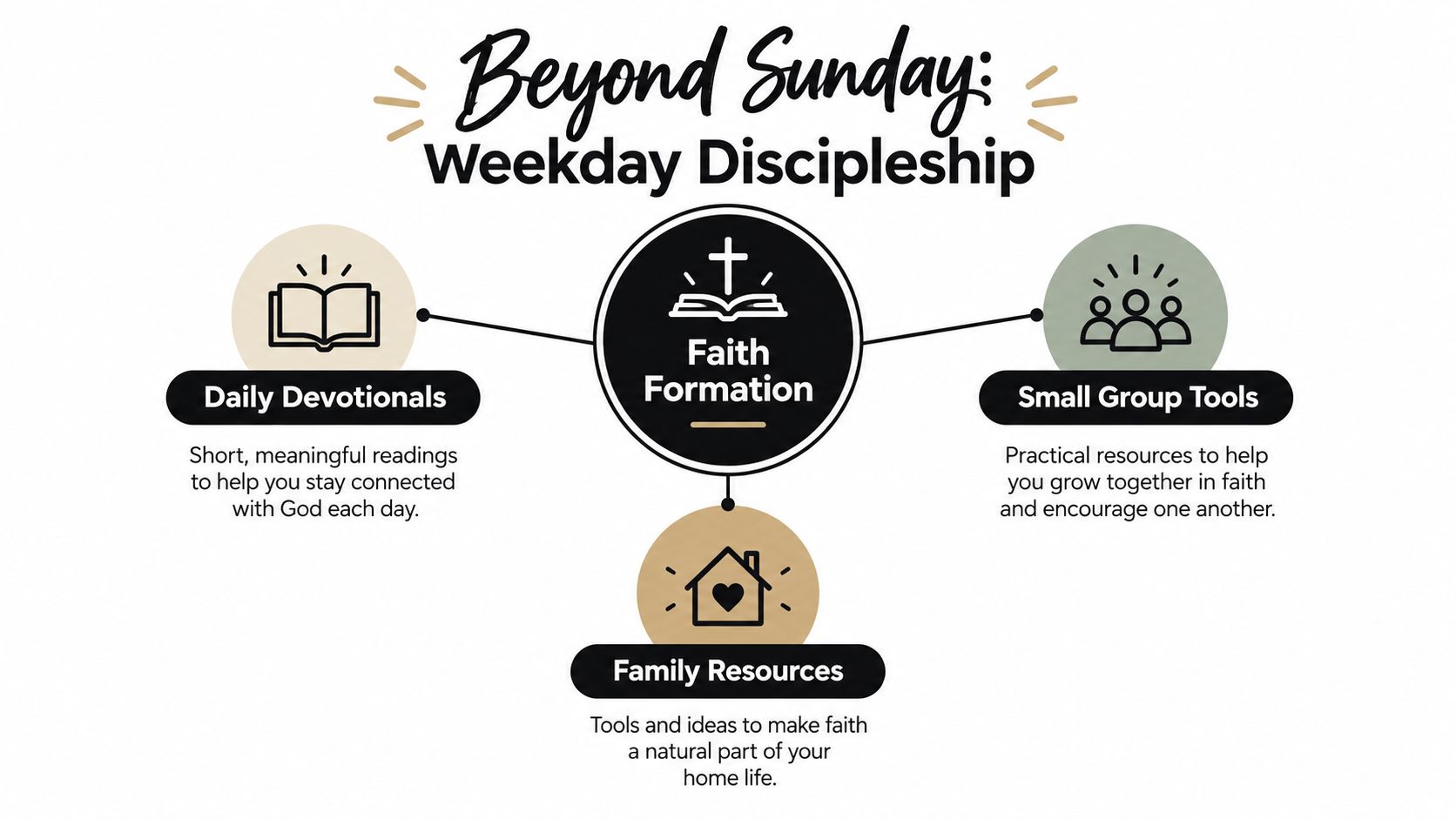
The practical takeaway is straightforward. Better administration matters, but it should support discipleship outcomes rather than become the whole purchasing decision. Churches need systems that connect records, groups, prayer, and Scripture engagement to repeatable weekday actions. A platform that handles Sunday operations while leaving weekday formation outside the system addresses only part of the church's work.
Implementation, Migration Risks, and Support Reality
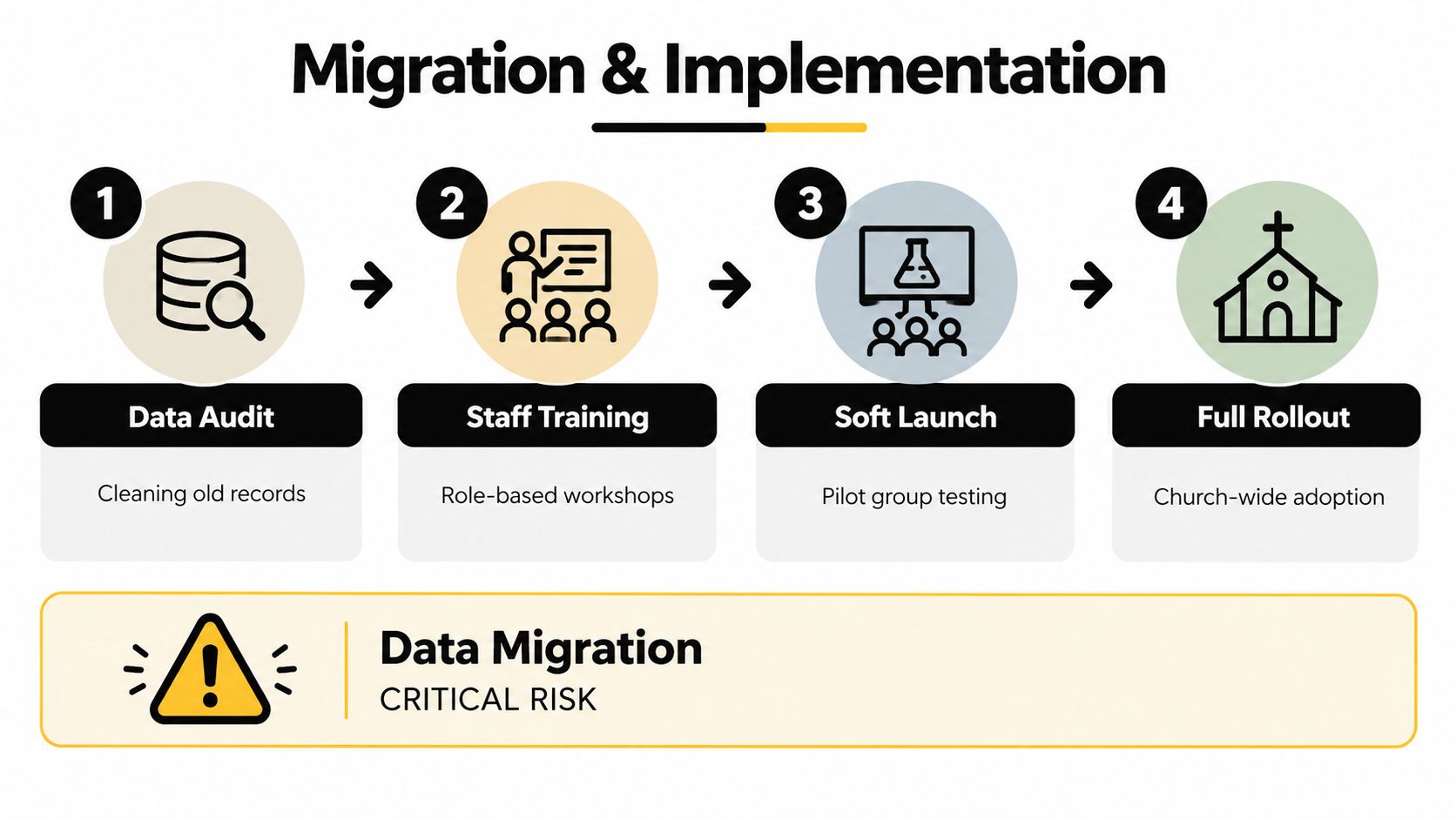
Migration is where vendor promises meet volunteer capacity. Setup, data cleanup, and training can strain patience, but careful work protects trust, preserves ministry history, and keeps weekday follow-up from breaking when the new system goes live.
The friction points you can't skip
Independent coverage notes that 40% of churches find initial setup and data migration their biggest challenge (migration coverage). The finding fits what pastors and volunteers encounter. Records from the old system are rarely clean, and key processes often live in someone's memory instead of written instructions. A rushed move can leave duplicate records, broken workflows, and missed pastoral follow-up.
Begin with a data audit. Remove inactive contacts, correct household records, and decide which history deserves a place in the new system. Then train by role, so staff, finance teams, and volunteers learn only the functions they will use. Test the process with one ministry or campus before expanding it church-wide. That smaller launch can expose permission errors, confusing forms, and gaps in weekday communication while they are still manageable.
If the migration plan assumes everyone will learn by intuition, the implementation is already in trouble.
The hidden trade-offs
Free and budget platforms may become expensive in staff time when a church needs automated workflows, stronger giving integrations, volunteer scheduling at scale, accounting tools, or responsive support. Reviews also raise concerns about security, privacy, multilingual access, and accessibility as churches use cloud systems across campuses and mobile devices. Those issues matter because a church is transferring donor trust, household information, and pastoral access along with its records.
Smaller churches often need a lighter path than a large all-in-one suite. The platform should be easy to explain, launch, and maintain after the initial enthusiasm fades. Ask how support handles migration questions, how data can be exported, and who responds when a workflow fails before Sunday or a weekday ministry gathering. Clear answers protect continuity for both administration and discipleship. If a vendor cannot explain those safeguards, the software may add work instead of removing it.
How HolyJot Fits Church Needs
HolyJot fits churches that want to close the Sunday-to-Sunday engagement gap without taking on a heavy operational suite. It combines a white-labeled church portal, member directories, roles, groups, attendance, events and RSVPs, volunteer coordination, sermon libraries, and online giving via Stripe with tax receipts, so the church can keep core ministry records in one place. It also adds faith journaling, a full online Bible, guided study plans, and an AI assistant that can be trained on uploaded bulletins, doctrinal statements, and study materials.
That mix matters for small-to-midsize churches because it keeps administration tied to daily faith formation. Members can journal, read, join Community Hubs, and stay connected to group life without switching between multiple apps. Sensitive notes can be locked, entries can be verse-linked or freestyle, and encrypted storage gives churches a practical privacy layer for personal reflection.
HolyJot is also designed for churches that want something easier to launch than a larger enterprise suite. The platform can embed an AI assistant on a church website, which gives leaders a way to answer common questions from the church's own materials. For churches that care about member communication, devotionals, and simple workflow management more than deep accounting complexity, that combination is a sensible fit.
The real value shows up when the church wants one system to support both records and spiritual habits.
It's not the right answer for every congregation, especially if a church needs a very broad back-office stack. But for churches that want ministry connection, giving transparency, and straightforward setup, it covers a practical middle ground. Explore HolyJot if you want to see how a church portal can support weekday discipleship, member coordination, and daily Scripture engagement in one place.