


You may be sitting with a phone in your hand and a thought you don't want to lose.
Maybe it's a prayer for your child before school starts. Maybe it's a note to your spouse for an anniversary years from now. Maybe it's a page you wish your future self could read on a hard day, when today's clarity feels far away. For many people, that desire used to mean a handwritten letter in a box, tucked into a drawer and forgotten until a move or a cleaning day brought it back.
A Time Capsule App takes that old habit and gives it a clock, a lock, and a delivery date. It lets you write now and open later. Not someday if you remember. On purpose.
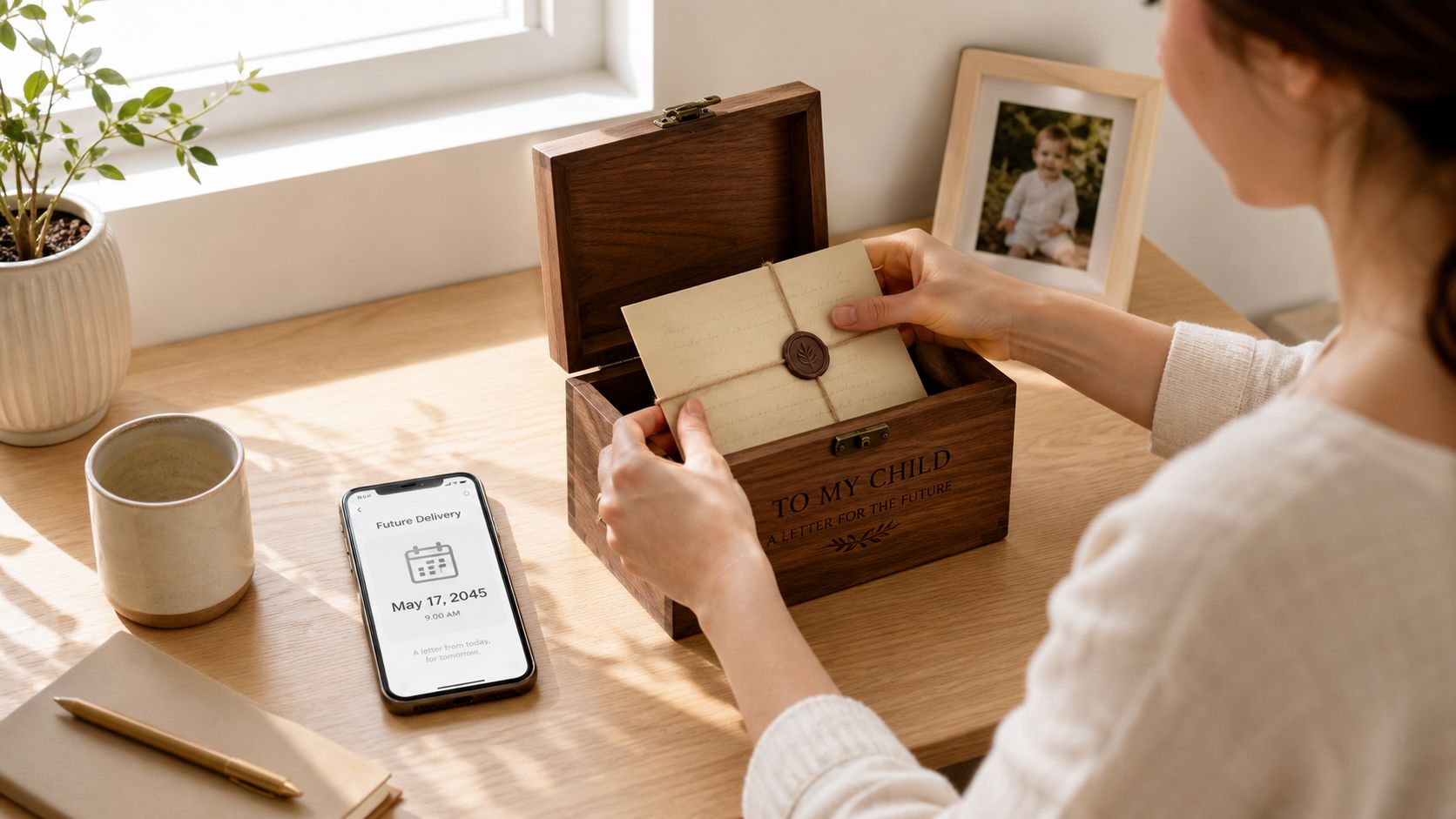
That idea has moved beyond novelty. The Online Time Capsule says it was established in 2014 and reports 10,233 total capsules, including 1,456 sealed capsules and 8,777 opened capsules on its public snapshot at The Online Time Capsule. That matters because it shows people don't only create these messages. They come back and open them.
For Christians, this can become more than a clever app category. It can become a discipline. You can use it like a legacy letter, a private devotional, a family remembrance practice, or a prayer entrusted to the future. In that sense, a time capsule is part technology and part testimony. You write with hope that God will still be at work when the message opens.
Introduction to Time Capsule Apps and Why They Matter Now
A mother records a short note on her daughter's birthday and schedules it to open when that daughter turns eighteen. A husband writes a message on an ordinary Tuesday, not because it's dramatic, but because he knows ordinary faithfulness often becomes precious later. A college student writes a prayer to be opened after graduation, hoping to remember who she was before career pressure hardened her heart.
Those are all examples of the same instinct. People want to speak across time.
Why this matters now
A Time Capsule App gives shape to that instinct. It helps you preserve something meaningful, assign a future opening date, and trust that it will wait until the right moment. That's different from saving a note on your phone. A normal note stays open, editable, and easy to skim past. A capsule feels sealed.
App listings also show this category has grown beyond simple “send a future message” tools. Product listings highlighted at Keepsie describe capsules that can include photos, videos, documents, written messages, and opening dates set up to 30 years in the future. Other listings emphasize moments like birthdays, anniversaries, and messages to your future self. That long horizon is what gives the habit weight.
Why Christians often connect with it quickly
Faith already trains us to live with future-minded hope.
We pray for outcomes we can't yet see. We write in journals during seasons we don't yet understand. We save family Bibles, sermon notes, and letters because memory matters. A Time Capsule App fits naturally into that rhythm.
Here's where readers often get confused:
- It isn't just a reminder app. A reminder tells you to do something later. A capsule preserves something from now.
- It isn't just cloud storage. Storage keeps files available all the time. A capsule is meant to stay closed until its time.
- It isn't only for fun. Some people use it for novelty. Others use it for grief, family history, spiritual milestones, and legacy.
A good time capsule doesn't just store content. It protects timing.
That timing changes the tone of what you write. People often write more when they know the message won't be reopened five minutes later.
What a Time Capsule App Actually Does
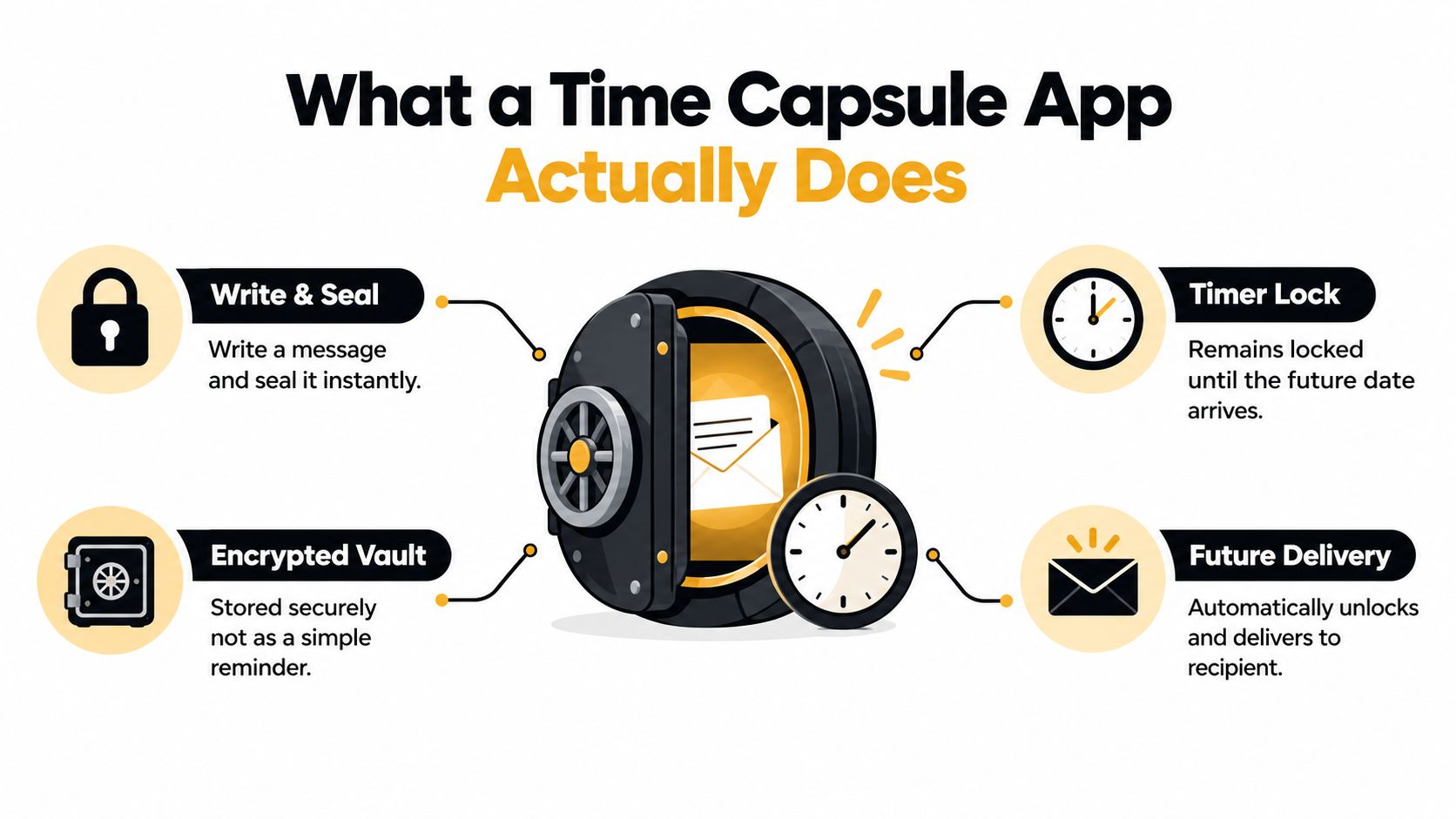
a Time Capsule App acts like a locked vault with a timer.
You put something inside. The app seals it. Then it waits. When the chosen date arrives, it opens the capsule and makes it available to you or to the person you selected.
The three basic jobs
Most time capsule apps do three things well when they're designed properly.
They capture content
That content might be a written note, a prayer, a photo set from a mission trip, a voice memo for your child, or a video recorded after a wedding, baptism, or adoption day.
They lock that content until later
This is the feature that separates a capsule from a draft folder. The app is meant to create a real sense of sealing, not just temporary storage.
They deliver it intact
When the opening date comes, the app should make the original content available without confusion, damage, or accidental edits along the way.
Time-lock principle: a time capsule works best when the message is treated less like a live document and more like a sealed letter that travels forward in time.
How it differs from similar tools
People often compare a Time Capsule App with tools they already use. That helps, but the differences matter.
| Tool | What it does | What it doesn't do well |
|---|---|---|
| Notes app | Saves thoughts quickly | Doesn't create a strong sense of sealed timing |
| Email scheduling | Sends later | Usually feels like communication, not preservation |
| Cloud drive | Stores files | Keeps them accessible now, not intentionally locked |
| Calendar reminder | Prompts future action | Doesn't preserve the present voice or memory |
A helpful test is simple. Ask, “Am I trying to remember to do something later, or am I trying to preserve something from today for later?” If it's the second, a Time Capsule App is the better fit.
A short visual helps make the idea stick:
Why the lock matters spiritually
The lock changes your posture.
When you write a future prayer and seal it, you're practicing release. You're saying, “I've spoken this truth today. I don't need to keep editing it every hour.” That can feel a lot like placing a written prayer in a prayer box at church, or tucking a letter into a family Bible for another generation.
A Time Capsule App can support that same habit in digital form. It lets the message rest.
How Time Capsules Work Behind the Scenes
If the front end feels like sealing a letter, the back end should feel like building a strong archive. That's where many people need plain language, because app stores often use technical words without explaining what they mean.
First the app should lock the content before upload
One of the most important design choices is client-side encryption or end-to-end encryption before upload.
That means the app encrypts your message or media on your own device before sending it anywhere else. In this category, some products explicitly describe local encryption, including one example that describes local AES-256 encryption plus encrypted cloud storage and time-locked access, while another describes client-side encryption combined with permanent decentralized storage and a separate passphrase for decryption at the Lavni app listing.
Why does that matter? Because if the server never receives plain text, the server can't casually read the capsule contents. If someone compromises the backend, they still face encrypted data instead of your actual note, photo, or prayer.
Then the app has to store it somewhere durable
Security is only half the story. A Time Capsule App also has to survive time.
That sounds obvious, but it's the hard part. A note scheduled for next week is one thing. A capsule meant for years later asks a different question. Will the storage still be available when the opening date arrives?
Some apps now use archival or distributed storage rather than ordinary sync tools. One example described at Ringing Echo says it stores data on Arweave, a decentralized network positioned for permanent retention of data for at least 200 years. Another architecture described there splits encrypted capsule data across five Trusted Execution Environments and multiple global storage locations.
The longer the wait, the more the app becomes an archive problem, not just a messaging problem.
What actually happens from writing to opening
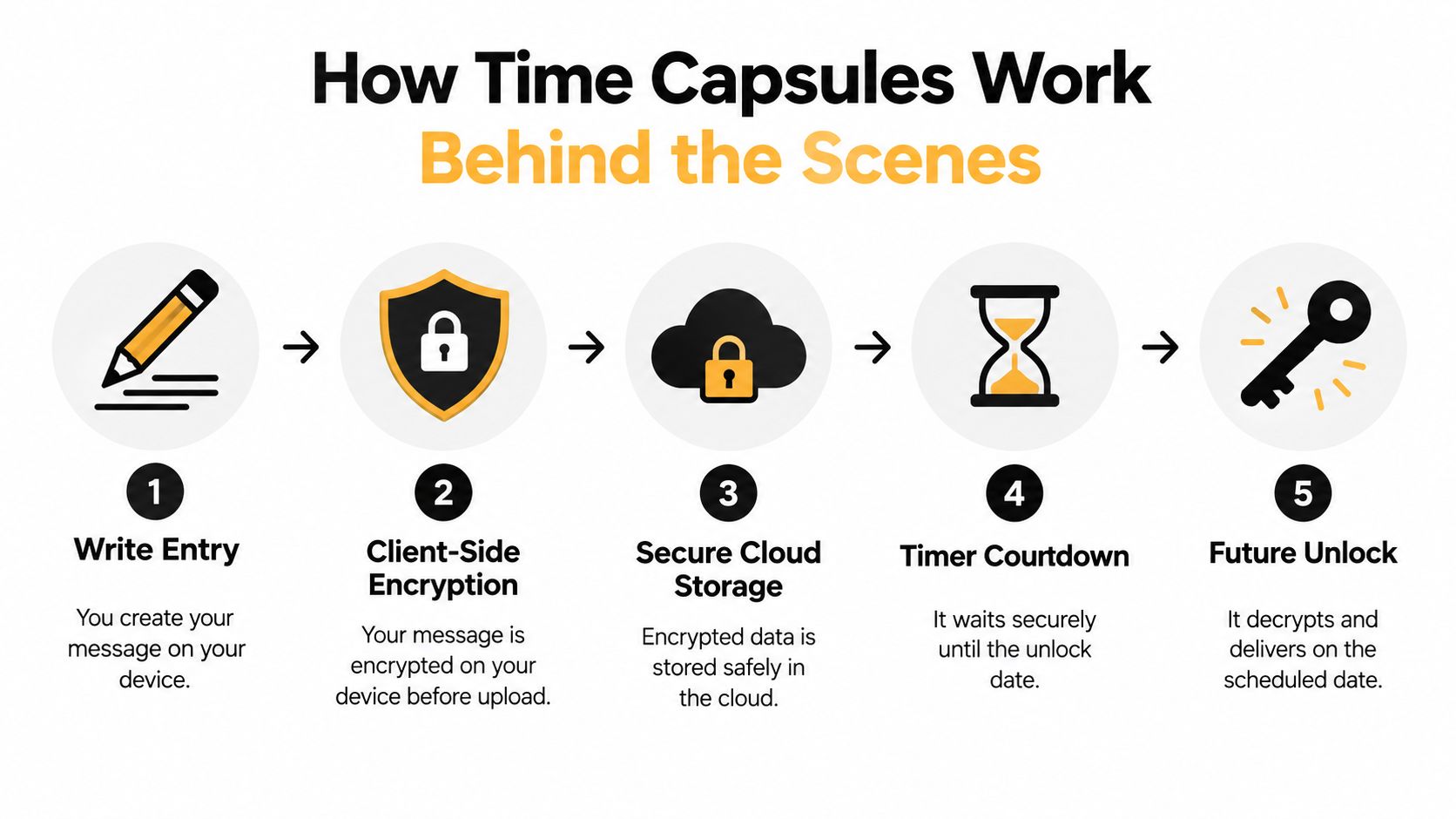
Here's the plain-language sequence to look for:
- You create the entry. You write, record, or upload the content on your device.
- The app encrypts it. Good apps do this before the content leaves your phone or browser.
- The encrypted version gets stored. The service saves ciphertext, not the plain original.
- The timer waits. The system tracks the opening date and the rules around access.
- The app opens or delivers. On the chosen date, the system makes the content available to the right person.
Where people get tripped up
Three areas often cause confusion.
Keys and passphrases
Encryption always raises a key question. Who holds the keys needed to access the content later? If the app uses a passphrase, forgetting it can create problems. If the app manages access for you, you need to know how account recovery works.
Long timelines
A capsule set for years ahead needs more than a clean interface. It needs a company, storage plan, and retrieval method that can outlast normal app churn. That's why a thirty-year scheduling window isn't just a convenience feature. It's an engineering promise.
Unlock events
Someone has to coordinate the opening. The app needs to know when the date arrives, who can access the content, and how that access is granted without exposing it too early.
When you understand those basics, marketing claims become easier to evaluate. You don't need to be a security engineer. You just need to know what questions to ask.
Meaningful Ways to Use a Time Capsule App in Everyday Faith Life
A Time Capsule App becomes useful when it moves from “interesting idea” to “I know exactly what I'd put in one tonight.”

Write to your future self during a hard season
One of the simplest uses is also one of the strongest. Write when your faith feels tested.
A young father might write, “I'm tired, anxious, and not sure I'm leading well, but I know God has not left me.” He sets the capsule to open in a year. When it returns, he doesn't just read a note. He sees who he was, what he feared, and how God carried him.
That kind of capsule works well for:
- Recovery seasons where you want to remember what healing looked like at the start
- Job transitions when you're praying for guidance
- Spiritual dry spells when honesty matters more than polish
If you want prompts for this kind of writing, these time capsule letter ideas can help you get past the blank-page feeling.
Build family devotion moments that open later
A family can create a short capsule after a holiday meal, baptism, dedication, or mission trip. Parents can invite children to answer one simple question like, “What do you think God is teaching our family this year?”
Then the capsule opens on the next birthday or the same holiday next year.
The power isn't in making the message perfect. It's in preserving a household voice at a real moment in time. Children often say things with a simplicity adults can't manufacture later.
Create legacy letters and milestone messages
Some messages are meant for a future age and stage.
A parent might record a video for a child to open at graduation. A grandparent might save blessings for future anniversaries. A couple might write separate notes on their wedding day to read on a later milestone. Many apps in this category are already marketed around birthdays, anniversaries, and future-self messages, which fits these life events naturally.
You can also pair old memories with new digital storytelling. If your family is gathering photos from past generations, a resource on using AI to animate old images can help turn still family photos into something more vivid before you preserve them inside a capsule.
Pray ahead
This may be the most powerful practice of all.
Write a prayer meant for your future self. Not because God needs help remembering, but because you do. Pray over a surgery date months away. Pray over a coming school year. Pray over your marriage before a stressful season starts.
Some of the best time capsules aren't messages of prediction. They're messages of faithfulness.
When that prayer opens, it often becomes a witness. Sometimes you'll see answered prayer. Sometimes you'll see how much your heart changed while waiting.
Key Features to Compare Before You Choose
Not every Time Capsule App is built for the same purpose. One may work well for a private text note. Another may fit family memory keeping. Another may focus on encryption and long-term archival storage.
Start with the use case, not the feature list
If you want a prayer journal capsule, your priorities may be privacy, simplicity, and a clean writing experience.
If you want a family memory vault, media support and sharing permissions matter more. If you want a long-term legacy tool, durability and account continuity should move to the top of the list.
A useful companion read is this guide on choosing a Christian journaling app, especially if your goal is to combine spiritual reflection with future-dated entries.
Time Capsule App Feature Comparison
| Feature | What to Look For | Why It Matters |
|---|---|---|
| Media support | Text, photos, video, documents, audio | Some memories need more than words |
| Scheduling horizon | Flexible dates and long-range opening options | Milestones often sit years ahead |
| Encryption model | Client-side or end-to-end encryption | Private content should be protected before upload |
| Storage durability | Archival or distributed storage approach | Long-term capsules need better survivability |
| Sharing controls | Private, invite-based, role-based access | Family use gets messy without clear boundaries |
| Retrieval experience | Clear opening flow and dependable access | A capsule loses value if opening feels confusing |
| Editing rules | Ability to seal content cleanly | Constant editing weakens the “sealed letter” effect |
Questions worth asking before you commit
Some app pages sound reassuring but stay vague. Look for direct answers.
- Can you include more than text? Family use usually benefits from photos, scanned letters, and voice notes.
- Does the app explain how it secures data? If privacy matters, broad claims aren't enough.
- What happens at opening time? You want a straightforward experience, especially for older relatives or recipients who aren't very technical.
- Can multiple people contribute without turning it public? Shared memory projects need control, not social feed chaos.
Choose the app that fits the message you're preserving, not the app with the most decorative promise.
That one question helps you avoid feature overload.
Privacy Locking and Family Sharing Done Right
The hardest questions around a Time Capsule App usually aren't technical. They're relational.
Who can see the capsule? Who can add to it? What if it includes children? What happens if a parent dies, a couple separates, or a grandparent wants access without seeing everything else?
Privacy should be more than a lock icon
Some services in this space are explicit that they retain time-capsule content until the capsule opens or is deleted, and one privacy policy also says the service is not intended for children under 13 at The Time Capsule privacy policy. That kind of detail matters because family users often assume “private” means “fully governed,” when it may only mean “not publicly posted.”
If you're evaluating app privacy language and want a simpler framework for understanding terms like encrypted access, this explanation of what end-to-end encryption means is worth reading.
Family sharing needs layers, not one switch
A single share button isn't enough for real family life.
One person may need view-only access. Another may need permission to contribute photos. A parent may want to approve entries involving children before they become part of a shared family capsule. Grandparents may need a private invitation instead of broad household access.
A practical way to think about it is to ask whether the app supports different roles:
- Owner access for the person who created the capsule
- Contributor access for relatives who can add memories
- Recipient access for someone who opens later but doesn't edit now
- Restricted access for child-related content or sensitive family situations
For broader thinking on keeping shared memories private without turning them into a semi-public feed, this private photo gallery guide offers useful parallels.
Don't ignore digital legacy questions
This is the most overlooked part of the category.
Independent research is now framing the issue more broadly as digital legacy planning before death, and recent commentary also raises concern about AI-enabled recreations of the deceased. A recent industry projection cited in reporting says the global digital legacy market is projected to reach USD 54,299 million by 2031, growing at a 13.80% CAGR from 2026 to 2031, as noted in the Winnipeg Free Press report on digital legacy planning research.
For a Christian reader, this brings stewardship into focus. A capsule may hold private prayers, testimony, confessions, family stories, or blessings for children. That content deserves more than casual assumptions. Ask what happens if the owner dies. Ask how minors are handled. Ask whether memorialized content could be reused in ways the writer never intended.
A family memory tool becomes a legacy tool the moment time outlasts the original plan.
That's when governance matters most.
How HolyJot Brings Time Capsules Into Your Faith Journey
A Time Capsule App becomes more meaningful when it lives inside an existing rhythm of Scripture, prayer, and reflection rather than standing alone as a one-off novelty.
That's where a faith journaling tool can make the habit easier to keep. Instead of opening a separate app only for milestone messages, you can write as part of your normal spiritual life and choose which entries should wait for the future.
From daily journaling to future opening
In practice, that means a person might write a verse-linked journal entry during Lent, lock a sensitive prayer during a marriage struggle, and set a future opening date for a note they want to revisit after a season of waiting. The capsule isn't disconnected from discipleship. It grows out of it.
That's also why this category works well in church and family life when handled carefully. A small group leader can encourage people to write prayers for a future date. Parents can preserve yearly blessing notes. A family can keep a devotional memory of baptisms, adoptions, recoveries, and answered prayer.
One practical example
One option in this space is HolyJot, which includes time capsule entries as part of its broader faith journaling platform, alongside Bible journaling, verse-linked writing, locked notes, streaks, and private Community Hubs for families, friends, and small groups. In that setup, a time capsule doesn't feel like a gimmick feature. It feels like a sealed chapter inside an ongoing walk with God.
That combination matters because spiritual memory is rarely isolated. Today's prayer connects to yesterday's Scripture reading. Next year's opening may connect to a verse you marked months earlier.
A simple way to begin
If you've never used a Time Capsule App before, start small.
Write one page. Pick one date. Choose one reason.
You might write a prayer for the next school year, a letter for a child's birthday, or a note to yourself about what God is teaching you right now. Keep it honest. Keep it specific. Then seal it and let time do its work.
The beauty of the habit is simple. You write in faith today, and later you receive a witness from your earlier self.
If you want one place to journal in Scripture, lock sensitive notes, and set future-dated entries for meaningful moments, HolyJot brings those practices together in a single faith-centered workflow. It's a practical way to turn a Time Capsule App from an occasional curiosity into a steady habit of prayer, remembrance, and spiritual legacy.